Finish what matters.
Most blockers ask when. Precede asks what you finished.
Choose today's essentials. The apps, categories and websites you pick stay paused until your list is done — then everything opens.
Coming to the App StoreRequires Screen Time permission to pause apps. Your task list works without it.
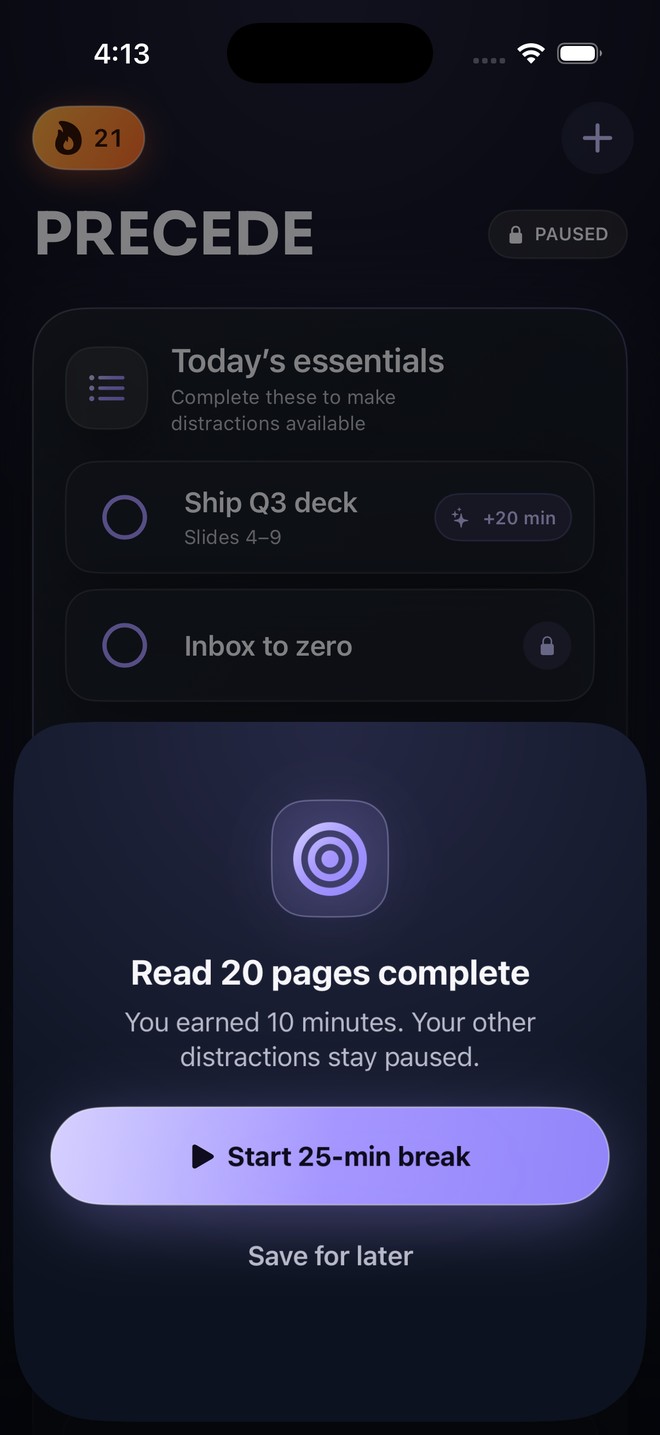
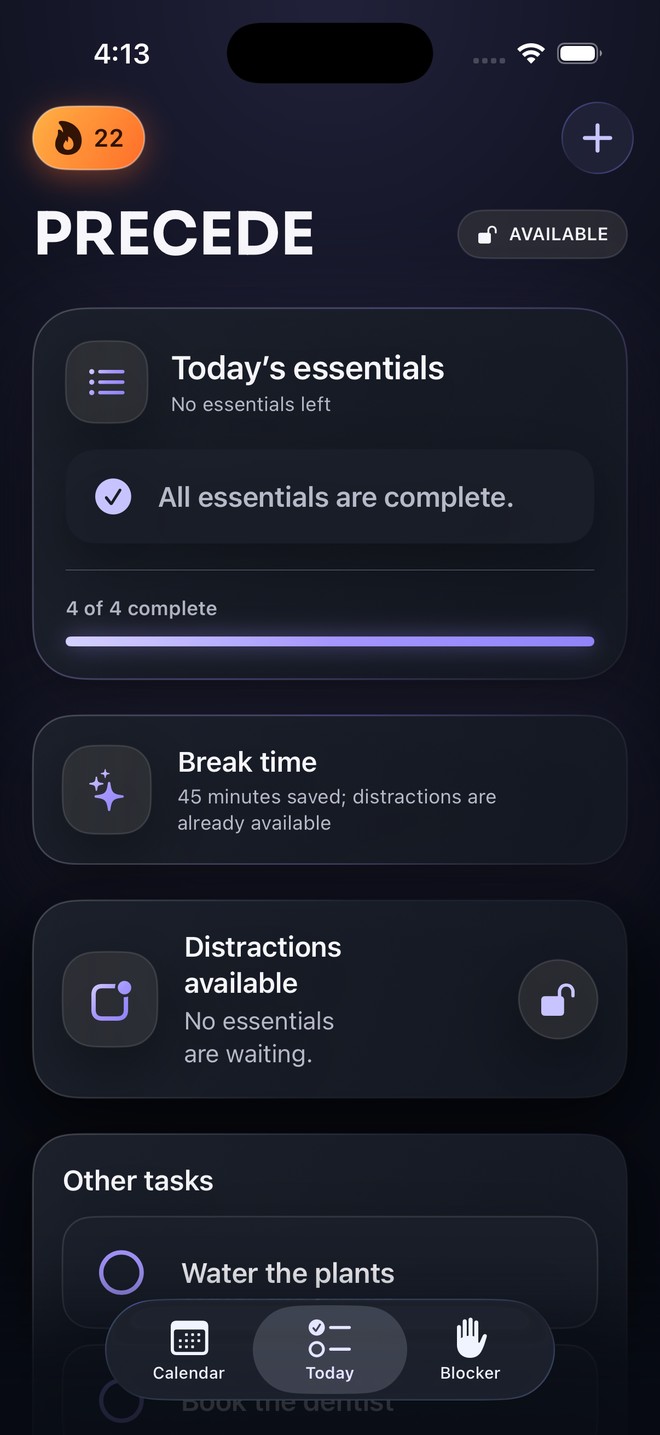
Progress, then permission.
A to-do list on its own loses at the moment of temptation. Precede makes finishing the list the thing that opens your phone back up.
Pick your essentials
Two or three things that actually matter today. Everything else is an other task and doesn't affect anything.
Choose the distractions
Apps, whole categories, or websites — selected through Apple's own private picker.
Earn a break
An essential can grant 5 to 60 minutes of break time. It's banked, never started for you.
Finish and open up
Tick the last essential and your selection becomes available for the rest of the day.
Built to be firm, not punitive.
You design the agreement. Precede carries it so you don't have to decide again every twenty minutes.
Breaks that know when to end
A visible wall-clock countdown runs your break. The shield comes back at the deadline even if Precede is closed.
The list can't quietly pile up
At the 4:00 AM day change, unfinished work goes to a short review: Move to Today, Save for Later, or Delete.
Every boundary is yours
Set break length, a daily break limit, and whether Earned Breaks are used at all. Automatic pausing can be turned off.
Your to-do list holds the keys to your phone.
Not a timer. A checkbox. Leisure isn't the enemy here — Precede just asks it to wait its turn.
Your list stays on your phone.
Precede has no account and no sign-in. Your tasks are stored on your device, and the apps you select are handled as Apple's opaque Screen Time tokens — Precede never sees which apps they are.
Read the full privacy policy, or see what data the app handles on the support page.
Questions people ask first
Can't I just turn it off?
Yes — automatic pausing is a setting you control, and Precede is honest about that. The value isn't a cage; it's not having to make the same decision thirty times a day.
Does this replace my task manager?
No. Precede is a short daily list, not a project manager. It plans today and tomorrow, and its job is connecting what you finish to what your phone will open.
Will Precede know which apps I use?
No. Apple's Family Activity picker returns opaque tokens rather than app names, and those tokens stay on your device.
What if I need one of the paused apps?
You choose the selection, you can start banked break time, and you can turn automatic pausing off from the Blocker tab. Nothing strands you.
Which devices does it work on?
iPhone running iOS 17 or later. Pausing apps requires Screen Time permission; without it the task list still works and you can connect later.
What matters, before what pulls.
Pick today's two or three. Let the rest wait.
Coming to the App Store